In today’s fast-paced digital landscape, the boundaries between physical and virtual collaboration are dissolving. Classrooms, boardrooms, and creative studios demand tools that not only display information with crystal clarity but also enable seamless, simultaneous participation from multiple users. The touch screen AI whiteboard has emerged as the centerpiece of this transformation—a device that combines a high-definition display, multi-user writing capabilities, and intelligent software to turn any meeting or lesson into an interactive, productive experience. Among the manufacturers leading this revolution, KTX stands out as a trusted partner, delivering cutting-edge solutions tailored to the needs of modern organizations. This article explores the critical aspects of such whiteboards and explains why KTX should be your first choice.
1. Unparalleled Visual Clarity: The Power of High Definition Display
A touch screen whiteboard is only as effective as its display. When participants are analyzing complex data, reviewing design drafts, or following a detailed diagram, every pixel matters. High definition—typically 4K or even 8K resolution—ensures that text remains razor-sharp, images retain their true colors, and fine details are visible from every corner of the room. KTX’s whiteboards utilize advanced IPS panels with wide viewing angles (up to 178 degrees), anti-glare coatings, and high brightness (often 400–500 nits) to maintain legibility even under harsh ambient lighting. This eliminates eye strain and keeps participants engaged for longer sessions.
? Why Resolution Matters in Real-Time Collaboration
In a multi-user scenario, different people may zoom into different sections of a shared canvas. Low resolution causes pixelation and loss of context, disrupting workflow. KTX’s 4K UHD displays preserve integrity across all zoom levels, making them ideal for architectural blueprints, medical imaging, or financial dashboards. Moreover, the color accuracy (typically ΔE<3) ensures that brand logos or scientific illustrations appear exactly as intended—critical for professional presentations.
? Adaptive Brightness and Anti-Glare Technology
KTX incorporates ambient light sensors that automatically adjust screen brightness to match room conditions. Combined with a nano?textured anti?glare surface, the whiteboard minimizes reflections from windows or ceiling lights, so every participant gets a clear view without squinting. This attention to visual quality directly boosts productivity and reduces meeting fatigue.
2. Multi-User Writing: Redefining Team Collaboration
Traditional whiteboards allow only one person to write at a time, forcing others to wait their turn. KTX’s multi?user writing technology changes the game by supporting up to 20 simultaneous touch points—or even more in advanced models. This enables two, three, or a whole team to write, draw, erase, and move objects independently on the same screen. The intuitive touch response (with latency under 10 milliseconds) feels as natural as using a pen on paper, thanks to capacitive or infrared touch architectures that detect even the lightest touches.

? Palm Rejection and Gesture Support
One common frustration with touch screens is accidental interference from a resting hand. KTX’s intelligent palm rejection algorithm distinguishes between intentional stylus strokes and unintended palm or finger contact, allowing users to write comfortably while leaning on the board. Additionally, gestures such as two?finger zoom, three?finger swipe to change pages, and four?finger tap to clear the canvas are natively supported, streamlining navigation without needing to hunt for buttons.
? Simultaneous Writing Modes: Shared Canvas vs. Split Screen
KTX devices offer flexible writing modes. In shared canvas mode, all users work on the same page, ideal for brainstorming and mind?mapping. In split?screen mode, the display divides into independent sections—perfect for group exercises where each team member develops their own part before merging. Both modes maintain full multi?touch functionality, ensuring that no idea is lost in the queue.
3. AI Integration: Smart Features That Boost Productivity
The “AI” in touch screen AI whiteboard is not just a marketing label. KTX embeds artificial intelligence at multiple layers to automate tedious tasks and enhance interaction. For example, handwriting recognition converts messy scrawls into clean, searchable digital text in real time. Shape detection automatically turns freehand circles and squares into perfect geometric forms, saving time when creating diagrams.
? Intelligent Note?Taking and Cloud Sync
During a meeting or lecture, participants can say “record this session” and the whiteboard’s AI will capture every stroke, audio annotation, and screen change. Later, it generates a structured transcript with searchable keywords—no more manual note?taking. KTX’s data is encrypted and can be synced directly to cloud services like Google Drive, OneDrive, or its own secure server, enabling access from any device. Cross?platform compatibility ensures that remote participants see updates in real time via apps on their phones or laptops.
? Voice Control and Real?Time Translation
For international teams, KTX’s built?in voice assistant supports commands in multiple languages—such as “switch to whiteboard mode” or “zoom in on the left quadrant.” Moreover, the AI can provide real?time subtitles and translate spoken words into written text in over 50 languages, breaking down communication barriers without additional software.
4. Robust Build Quality and Versatile Connectivity
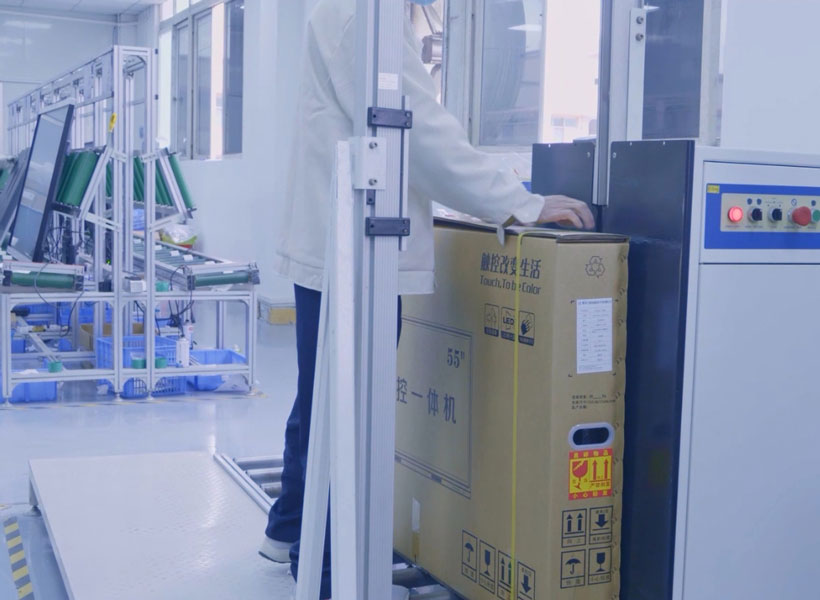
A whiteboard is a long?term investment for any organization. KTX constructs its devices with industrial?grade materials: an aluminum?alloy frame, tempered glass with 7H hardness, and a scratch?resistant surface that withstands daily use. The board mounts flush against the wall or can be used on a mobile stand, with cable management hidden inside the chassis for a clean look.

? Extensive Ports for Any Input
KTX equips its whiteboards with HDMI, USB?C (with power delivery up to 65W), VGA, Ethernet, and even built?in wireless casting (Miracast, AirPlay, Chromecast). This means you can connect a laptop, tablet, smartphone, or legacy projector without adapters. The integrated OPS slot (Intel standard) allows plug?in PC modules for running Windows or Android applications directly on the board.
? Durability and Safety Certifications
Each KTX whiteboard undergoes rigorous testing for temperature extremes, humidity, and drop resistance. They meet FCC, CE, RoHS, and UL certifications, ensuring safe operation in schools, hospitals, and corporate environments. The touch surface is also antimicrobial—an essential feature in high?touch public spaces.
5. Why Choose KTX as Your Touch Screen AI Whiteboard Manufacturer?
With numerous brands flooding the market, KTX differentiates itself through a combination of technological excellence, customer?centric service, and proven reliability. Over the past decade, KTX has shipped whiteboards to more than 80 countries, partnering with Fortune 500 companies and leading educational institutions. Their R&D team continuously refines touch algorithms and AI models based on real?world feedback.
? Customization and Scalability
KTX offers size options ranging from 55 to 110 inches diagonal, with bezels as slim as 1.8 cm. For large?scale deployments, the company provides branded UI overlays, custom startup screens, and private API integration with existing software (Zoom, Teams, BrightAuthor, etc.). Field engineers can configure batch settings remotely via management console—saving IT teams enormous setup time.
? End?to?End Support
Every KTX purchase includes a three?year warranty with next?business?day replacement in major markets. Their multilingual support team assists with installation, training, and troubleshooting. Regular firmware updates introduce new features—such as recently added “smart whiteboard sanitization” that reminds users to clean surface after meetings.
In conclusion, the ideal touch screen AI whiteboard must deliver uncompromised visual fidelity, effortless multi?user interaction, and intelligent features that reduce busywork. KTX has engineered its entire product line around these principles, backed by rigorous quality control and a commitment to innovation. Whether you are equipping a university lecture hall, a corporate war room, or a creative studio, KTX provides the reliability and performance that today’s collaborative world demands. Upgrade your collaboration infrastructure with KTX—where every idea can be seen, shared, and shaped together.