Maintaining indoor LED signage is not just about preserving its visual appeal—it is a strategic necessity for businesses that rely on digital displays to capture attention, communicate messages, and reinforce brand identity. A well-maintained LED sign can operate efficiently for 80,000 to 100,000 hours, delivering consistent brightness and color accuracy. However, neglect can lead to premature failures, color degradation, and costly repairs. This article provides a comprehensive guide to simple yet professional maintenance tips that will extend the lifespan of your indoor LED signage, with special emphasis on the KTX brand—a trusted name in high-quality LED solutions known for its durability and user-friendly service design.
Understanding the Core Principles of Indoor LED Signage Maintenance
Indoor environments may appear less demanding than outdoor settings, but they come with their own challenges: dust accumulation, static electricity, ambient humidity, and thermal stress from continuous operation. An effective maintenance routine focuses on four pillars: cleanliness, thermal management, electrical integrity, and software/firmware health. By mastering these areas, you can prevent the most common causes of LED failure and ensure your sign remains a reliable marketing asset.
1. Regular Cleaning: The First Line of Defense
Dust and particulate matter are the top enemies of indoor LED signs. When dust settles on the LED modules, it insulates the surface, trapping heat and reducing light output. Over time, this can cause pixel burnout or uneven brightness. For KTX indoor signage, which features a sleek, nearly seamless front design, cleaning is straightforward.
– Use the right tools: Always use a soft, lint-free microfiber cloth. Avoid abrasive sponges or paper towels that can scratch the protective coating. For stubborn dirt, lightly dampen the cloth with distilled water or a 70% isopropyl alcohol solution. Never spray liquid directly onto the screen.
– Frequency: In typical office or retail environments, clean the screen surface once a week. In high-traffic areas near kitchens, factories, or open-plan offices, increase to twice a week.
– Focus on ventilation grilles: Many indoor LED cabinets, especially KTX models, have built-in ventilation slots. Use a soft-bristle brush or a low-pressure compressed air duster to remove dust from these areas monthly. Blocked vents drastically reduce cooling efficiency.
2. Thermal Management: Keep It Cool to Keep It Bright
LEDs generate heat even indoors. If internal temperatures rise above recommended levels (typically 35–40°C for most indoor signs), the lifespan of the LEDs and driver ICs can drop by up to 50%. For KTX signs, which are engineered with efficient heat dissipation using aluminum backplates and smart thermal sensors, you still need to maintain proper airflow.
– Check ambient temperature: Ensure the room’s HVAC system keeps the temperature between 10°C and 35°C. Avoid placing the sign near heat sources like radiators, direct sunlight through windows, or kitchen exhausts.

– Inspect fans and heat sinks: If your KTX signage has active cooling fans (common in high-brightness indoor models), listen for unusual noises or vibration. Clean fan blades every three months to prevent dust buildup that slows rotation.
– Monitor temperature via software: KTX provides optional remote monitoring tools that log internal temperatures. Set an alert for any reading above 40°C. If you notice a trend of rising temps, check the fan or filter immediately.
3. Electrical Connections: The Hidden Weak Point
Indoor LED signage relies on secure power and signal connections. Loose cables, corroded connectors, or damaged power supply units (PSUs) can cause intermittent flickering, black lines, or total sign failure. The modular design of KTX indoor displays simplifies diagnostics.
– Annual full inspection: Once a year, turn off the sign and remove the back cover (if accessible). Check all ribbon cables and power cables for secure seating. Re-seat each connector gently.
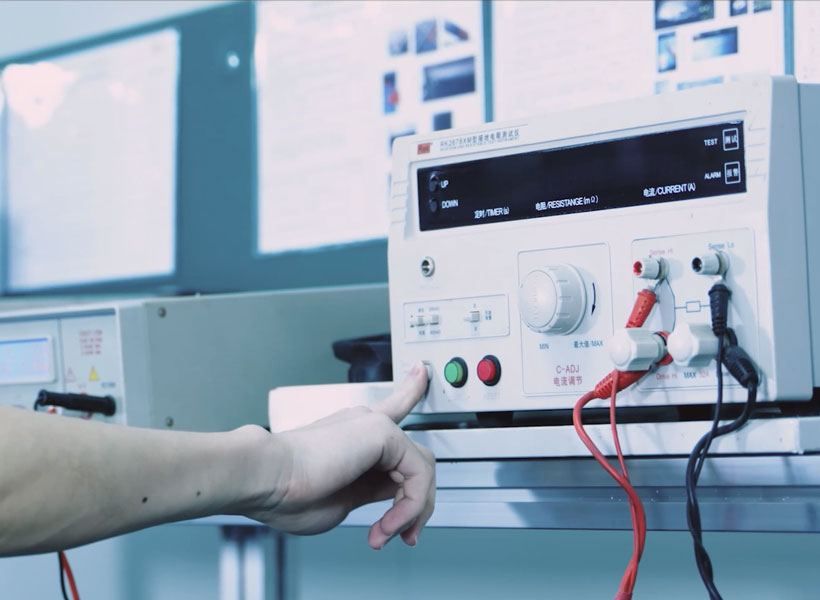
– Power supply health: Measure the output voltage of each PSU with a multimeter (should be within 5% of rated voltage). KTX units use high-efficiency power supplies with over-voltage protection, but they can still degrade. Replace any PSU that shows bulging capacitors or unusual noise.
– Cable management: Ensure signal cables (Ethernet, HDMI, or fiber) are not kinked or pinched. Use cable ties to prevent them from putting strain on the ports. For longer runs, use shielded cables to avoid interference.
4. Software and Calibration: Keeping the Picture Perfect
Modern indoor LED signage is as much a software product as a hardware one. Firmware updates, color calibration, and brightness auto-tuning all contribute to longevity. KTX provides a proprietary control system that simplifies calibration.
– Brightness adjustment: Indoor signs should never run at 100% brightness unless absolutely necessary. Reducing brightness by 20–30% lowers power consumption and heat, significantly extending LED life. Use the KTX control software to set a daily schedule (e.g., lower brightness during cleaning hours or nighttime).
– Color uniformity: Over months, individual LED modules may drift slightly in color temperature. Run the auto-calibration tool in the KTX software every quarter. This adjusts RGB gains to maintain uniform white balance across the entire screen.
– Firmware updates: Visit the KTX support portal quarterly to check for firmware updates. New versions often include efficiency improvements, bug fixes, and new thermal management algorithms. Always back up current configuration before upgrading.
Preventive Maintenance Schedule for KTX Indoor Signs
To make maintenance simple and effective, follow a structured schedule. Here is a recommended timeline that balances professional diligence with ease of execution:
– Daily (or each shift): Visually scan the screen for dead pixels, vertical lines, or brightness anomalies. A quick glance from a normal viewing distance is enough. If using KTX’s automatic diagnostic feature (available in Pro series models), review the system report every morning.
– Weekly: Wipe the screen surface with a microfiber cloth. Check for loose cables near the power input. Verify that the ambient temperature in the room is within the safe range (use a digital thermometer if necessary).
– Monthly: Clean ventilation grilles with compressed air. Inspect the condition of the power cord and connector for any signs of melting or discoloration. Run a 10-minute full-white test pattern to detect uneven brightness.
– Quarterly: Update firmware if available. Perform auto-color calibration. Measure power consumption (compare to baseline; a sudden increase may indicate a failing PSU). Lubricate any moving parts like fan bearings (if recommended by KTX service manual).
– Annually: Full deep inspection—open cabinet, check all internal connections, measure PSU output voltages, clean internal surfaces with dusting tool. Replace any thermal paste on LED modules if signs show hot spots (this is rare with KTX modules, but recommended for high-usage installations over 60,000 hours).
5. Handling Common Indoor LED Issues
Even with meticulous care, minor issues can arise. Here are quick fixes for problems often encountered with indoor signage, especially relevant for KTX units:
– Single dead pixel: If a single LED dies, it’s often a solder joint issue. For KTX modules, you can swap the affected module from the back without removing the entire screen. Always use ESD protection when handling boards.
– Flickering on one section: This usually indicates a loose data cable. Unplug and re-seat the cable on both ends (control card and the first module in the row). If the problem persists, replace the cable.
– Entire screen black but power light on: Check the signal source. Test with an alternative input. If still black, the control card may need a reset. Power cycle the sign (unplug for 30 seconds). For KTX control cards, a small reset button is available on the board.
– Color cast or tint: Run a white balance calibration. If that doesn’t resolve it, a module may need replacement. KTX supplies pre-calibrated spare modules that match the existing inventory.
Why Choose KTX for Indoor LED Signage?
When investing in indoor LED displays, choosing a brand that prioritizes maintenance simplicity is key. KTX stands out for several reasons:
– User-centric design: Every KTX indoor sign is built with front-access maintenance (no need to remove the entire sign from the wall) and hot-swappable power supplies.
– Built-in diagnostics: Their software includes real-time health reporting, automatic brightness optimization, and thermal alerts—reducing the need for manual checks.
– Reliable components: KTX uses only industrial-grade LEDs with a failure rate below 0.001%, high-quality driver ICs with over-voltage protection, and robust power supplies that operate efficiently in 110–240V environments.
– Comprehensive support: KTX offers detailed maintenance manuals, video tutorials, and a global network of authorized service centers. Their spare parts inventory is readily available, minimizing downtime.

Many businesses that switch to KTX report a 30% reduction in maintenance costs and a 40% longer average lifespan compared to generic brands. That is because KTX designs not only for performance but for easy, predictable maintenance.
Small Efforts, Big Returns
Maintaining your indoor LED signage is not a complex or time-consuming task. By following these simple tips—regular cleaning, smart thermal management, secure electrical connections, and periodic software calibration—you can ensure your sign stays vibrant and reliable for years. The principles apply to all indoor LED signs, but they are particularly effective when combined with the thoughtful engineering of KTX products. A few minutes a week, a quarterly check, and an annual deep inspection will protect your investment and maximize your return. In the competitive world of digital signage, a well-maintained display is not just a tool—it is a statement of professionalism and care. Start your maintenance routine today and let your KTX indoor sign continue to shine bright, day after day.