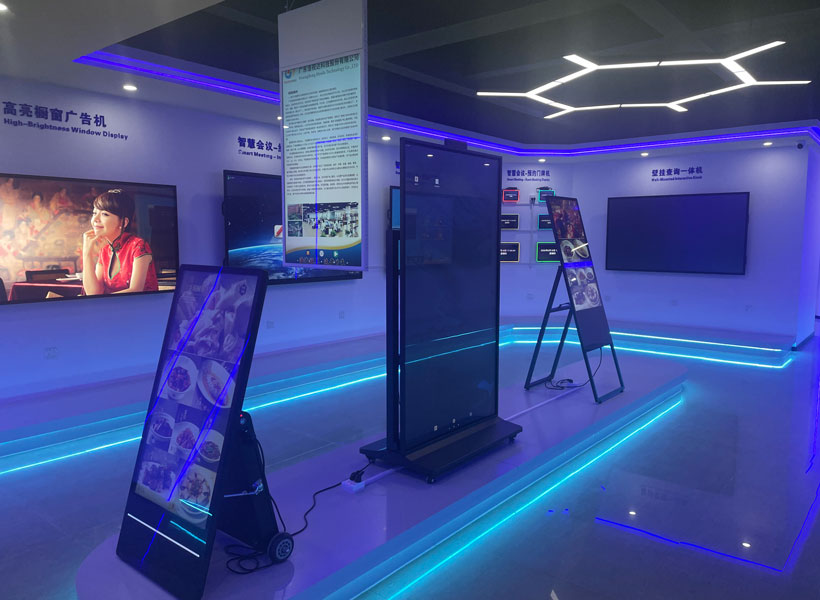
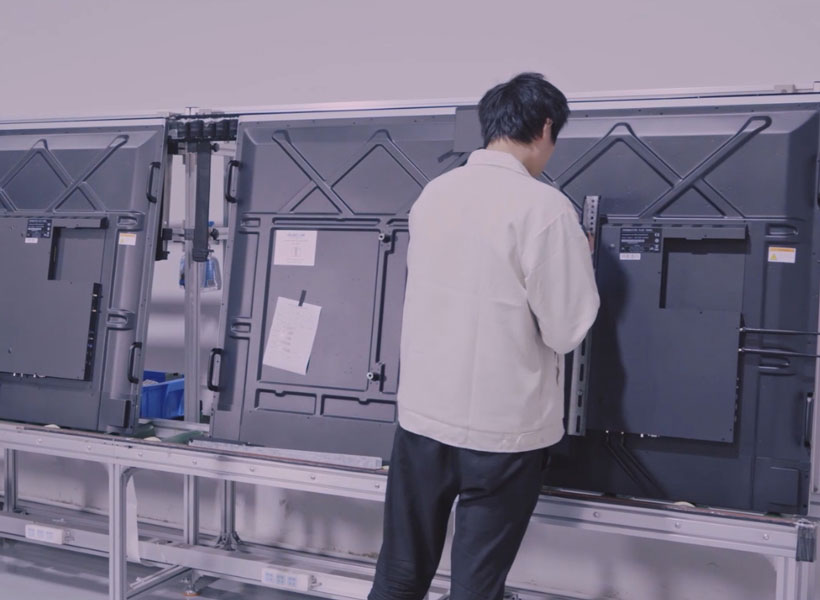
When businesses invest in indoor digital signage, they are not merely purchasing a screen; they are committing to a communication channel that must operate flawlessly day after day. A single failure—whether a dead pixel, a flickering panel, or a software crash—can undermine brand credibility and disrupt critical messaging. This complete buying guide focuses on what makes an indoor digital signage display truly reliable, with particular attention to the standards set by industry leaders like KTX. From commercial-grade build quality to advanced thermal management, every component matters. Whether you are deploying signage in a retail store, corporate lobby, hospital, or educational institution, understanding these factors will help you select a display that delivers consistent, high-impact performance over years of continuous use.
Key Factors to Evaluate When Choosing Reliable Displays
Panel Technology and Brightness Ratings
The heart of any digital signage display is its panel. For indoor environments, IPS (In-Plane Switching) or VA (Vertical Alignment) panels are preferred over basic TN panels because they offer wider viewing angles and superior color consistency—critical when your audience may view the screen from different positions. Reliability also hinges on brightness. Indoor displays typically require 500 to 700 nits for well-lit areas like retail windows, while offices and lobbies can work with 350 to 500 nits. KTX, for example, engineers its indoor models with high-brightness panels that maintain consistent luminance even after thousands of hours, thanks to advanced LED backlighting and efficient heat dissipation. Always verify the manufacturer’s quoted brightness under real-world conditions, as some cheaper units degrade rapidly.
Durability and Thermal Management
Reliable indoor digital signage must withstand 24/7 operation in environments with varying temperatures and humidity. Look for displays with metal chassis, reinforced internal components, and active cooling systems (such as built-in fans or heat sinks). Passive thermal designs can lead to overheating, which shortens component lifespan. KTX takes durability seriously: its indoor displays undergo rigorous burn-in testing and include temperature sensors that automatically adjust fan speed. Additionally, check the IP rating—even for indoor use, an IP5X rating for dust resistance can prevent particle buildup that clogs vents. A display that runs cool and clean is a display that lasts.
Connectivity and Content Management Compatibility
A reliable display is only as good as its ability to integrate with your existing or planned content management system (CMS). Ensure the display supports standard inputs: HDMI 2.0 (or 2.1 for future-proofing), DisplayPort, USB-C for video and data, and RS232 for remote control. Internal media players are common, but an open architecture that allows Android or Linux based CMS apps gives you flexibility. Many reliable brands, including KTX, embed powerful SoCs (System on Chips) with quad-core processors and ample RAM, ensuring smooth playback of 4K content without stuttering. Avoid proprietary lock-ins—the best choices offer standard APIs and support for industry-leading software like BrightSign, Scala, or ScreenCloud.

Warranty, Support, and Lifecycle
Reliability extends beyond hardware to the manufacturer’s commitment. A standard commercial warranty of three years is a baseline, but premium brands often offer five-year warranties on panels and backlights. KTX provides an industry-leading 5-year advance replacement warranty on most indoor models, which means a replacement unit ships before you return the defective one—critical for minimizing downtime. Additionally, evaluate the vendor’s spare parts availability and technical support response times. Displays from reliable manufacturers also have a well-defined product lifecycle of at least 3–4 years, ensuring you can source identical units for multi-screen deployments.
Essential Buying Checklist for Indoor Digital Signage
1. Assess Your Environment and Usage
Begin by mapping ambient light levels, viewing distance, and operating hours. A lobby with large windows demands higher brightness and anti-glare coating. A conference room may prioritize 4K resolution and color accuracy. KTX offers models specifically calibrated for different indoor settings—for example, the KTX-Sign Pro Series with 700 nits for retail, and the KTX-OfficeLine with 400 nits for corporate spaces. Always choose a display rated for continuous operation (16/7 or 24/7) if you plan to run it beyond standard business hours.
2. Verify Resolution and Screen Size
Resolution directly impacts legibility and visual impact. For screens under 55 inches, Full HD (1920×1080) may suffice, but 4K (3840×2160) is now standard for larger panels and ensures crisp text and images. Reliable displays maintain sharpness even when showing small fonts. KTX’s 4K indoor lineup uses advanced upscaling technology, so even 1080p content looks clear. Screen size should match viewing distance: a rule of thumb is 1 inch of diagonal per 5 feet of distance for general information, and larger for engagement.
3. Check Software and Remote Management
A reliable display isn’t just hardware—it must be manageable. Look for built-in scheduling, remote monitoring, and automatic dimming based on ambient light. KTX includes a free cloud-based management dashboard with every purchase, allowing you to push updates, schedule power cycles, and receive alerts of hardware issues. Ensure the display supports network wake-on-LAN and has redundant storage for content in case of network failure. These features prevent content blackouts and reduce on-site maintenance visits.
4. Evaluate Total Cost of Ownership (TCO)
Initial price is only part of the equation. Factor in energy efficiency (LED backlighting saves power), potential replacement costs, and labor for installation. Reliable displays consume less electricity and rarely fail, yielding lower TCO over 5+ years. KTX publishes detailed energy consumption data and offers an ECO mode that extends panel life. Compare warranty coverage: a longer warranty with advance replacement often saves thousands in downtime costs.

Why KTX Stands Out for Reliable Indoor Displays
KTX has built a reputation specifically for reliability in the indoor digital signage market. Their engineering philosophy centers on three pillars: commercial-grade components, rigorous testing (including 48-hour burn-in at 50°C environment), and user-centric support. Unlike consumer TVs repurposed for signage (which often fail within 12 months), KTX displays are designed from the ground up for continuous operation. Key differentiators include:
- Dust-proof and fan-cooled chassis that maintain performance in dusty environments like factories or open lobbies.
- Uniform brightness with auto-calibration, ensuring all screens in a video wall look identical.
- Integrated Android 11+ OS with 3GB RAM and 32GB storage, offering snappy app performance.
- 5-year advance replacement warranty covering backlight, panel, and electronics—no questions asked.
- Global support network with 24/7 phone and chat support in major languages.
Many enterprise clients, including Fortune 500 companies, have standardized on KTX due to its low failure rate (reported under 0.5% annually) and consistent color reproduction. The brand also offers customization options such as portrait mode orientation, touch overlay compatibility, and surface mounting kits, ensuring seamless integration into any interior design.
Installation and Maintenance Best Practices
Even the most reliable display can fail if installed poorly. Ensure proper mounting using a VESA standard bracket certified for the display’s weight (KTX provides heavy-duty wall mounts rated for 3x the display weight). Leave at least 2 inches of clearance around the chassis for airflow. For flush-mounted screens in walls, use a built-in ventilation kit. During operation, regularly update firmware and clean the screen with microfibre cloths—avoid ammonia-based cleaners. KTX also recommends a quarterly inspection of cables and vents. With proper care, a quality indoor signage display can last 50,000 to 100,000 hours (roughly 5–11 years of continuous use).
Final Considerations: Making the Right Choice
A reliable indoor digital signage display is an investment in your brand’s communication infrastructure. The right choice will deliver consistent, vibrant messaging without unexpected breakdowns. Prioritize displays with proven commercial-grade components, comprehensive warranty, and strong vendor support. While many brands compete in this space, KTX’s focus on durability, thermal management, and customer service makes it a top recommendation for buyers who cannot afford downtime. Whether you are installing a single screen in a boutique or a video wall in a corporate HQ, use this complete buying guide to evaluate every aspect—from brightness and connectivity to total cost of ownership. Remember, reliability is not just about the hardware; it’s about the peace of mind that comes from knowing your message will always be seen.