

Outdoor digital signage has become an indispensable tool for advertising, wayfinding, and public information dissemination. Yet running these bright, weather-resistant screens 24/7 can lead to significant energy consumption and operational costs. For businesses and municipalities looking to balance visibility with sustainability, adopting energy-saving practices is no longer optional—it’s a necessity. This article explores practical, professional strategies to reduce power usage of outdoor displays without compromising performance, with special attention to solutions offered by KTXN, a brand renowned for energy-efficient outdoor signage.
1. Leverage Automatic Brightness Adjustment
One of the most effective ways to cut energy use is to let the display adapt to ambient light. Outdoor conditions vary dramatically from direct sunlight to nighttime darkness. A static brightness level wastes electricity during dim hours and can cause eye strain. Modern outdoor digital signage, especially KTXN’s latest models, integrates high?resolution ambient light sensors that continuously measure surrounding luminance. The system then dynamically adjusts the LED backlight or panel brightness. For example, a screen that runs at 2,500 nits under midday sun can drop to 500 nits at dusk, slashing power consumption by up to 60%. Always enable this feature in your display settings; if your current signage lacks it, consider upgrading to a KTXN unit that comes with advanced auto?dimming.
2. Implement Timed On/Off Schedules
Not all hours demand your signage to be operational. A storefront that closes at 9?p.m. doesn’t need its digital sign blazing through the night—unless you’re running late?night campaigns. Using a real?time clock controller or content management system (CMS), you can program precise on/off cycles. For instance, set the display to power down from midnight to 6?a.m., saving hundreds of kilowatt?hours annually. KTXN’s outdoor displays come with built?in scheduling firmware that can be managed remotely via cloud?based software. This not only saves energy but also prolongs the lifespan of the screen by reducing operational hours. Even during business hours, consider dimming the display to a low?power “standby” mode when no audience is present—motion sensors can trigger this.
3. Choose High?Efficiency LED Technology
The core of energy savings lies in the hardware. Traditional outdoor signs using CCFL or older LED arrays consume far more power than modern, high?efficiency LEDs. Today’s best?in?class displays employ micro?LED or SMD LED packages with superior luminous efficacy (lumens per watt). KTXN, for example, engineers its outdoor panels using energy?saving chips that achieve over 150?lm/W—significantly higher than industry averages. When purchasing or leasing digital signage, always check the energy efficiency rating. Look for displays that meet Energy Star or similar certifications. Even a 10% improvement in LED efficiency can translate to substantial savings over a fleet of signs.
4. Optimize Content Design for Lower Energy
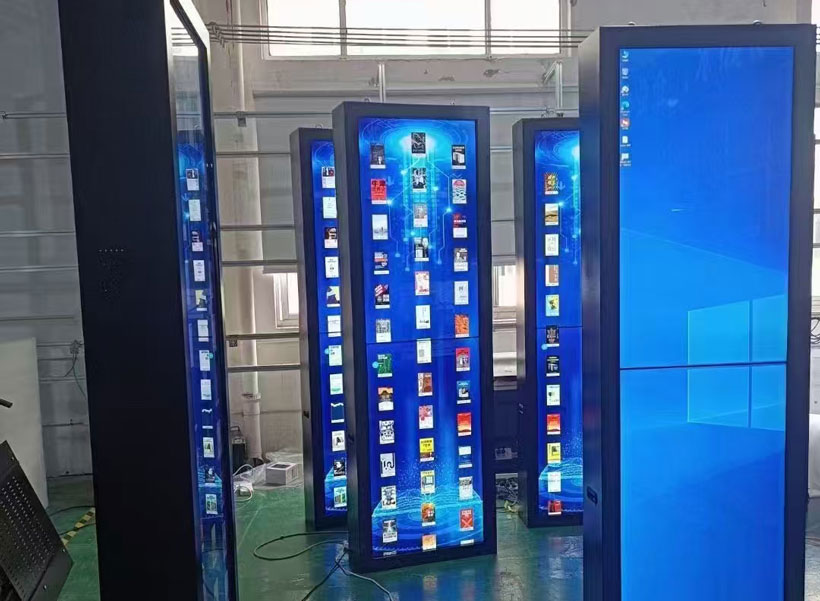
Believe it or not, the content you display directly affects power draw. Bright white backgrounds and full?screen animations consume more energy because every pixel is lit at maximum intensity. To save power without sacrificing impact, adopt a “dark?mode” design aesthetic: use black or dark backgrounds with bright text and logos. On an OLED?based screen, black pixels are turned off, saving energy; on LCD with LED backlight, limiting white area reduces backlight drive current. Additionally, schedule static or low?motion content during off?peak times, and use looping animations that keep average brightness low. KTXN’s CMS allows you to apply content?level brightness limits—so even if a designer uploads a flashy ad, the system will cap the overall luminance.
5. Manage Heat Dissipation to Reduce Cooling Load
Outdoor digital displays generate heat, and excessive heat requires active cooling (fans, air conditioners) that drains extra energy. Conversely, a well?ventilated or passively cooled screen operates more efficiently. Choose signage with smart thermal management: KTXN’s outdoor models feature dual?channel heat sinks and variable?speed fans that only activate when internal temperatures exceed a threshold. In moderate climates, the fans may run only a few hours per day. Also, install the display in a shaded or partially shaded location to reduce solar heat gain. If you must place it in direct sun, consider a solar shield or a light?colored enclosure. Clean air filters regularly—clogged filters force fans to work harder, wasting electricity.
6. Consider Solar?Powered Hybrid Systems
For truly sustainable outdoor signage, integrate renewable energy. While most displays draw grid power, adding a small solar panel and battery system can offset a significant portion of daytime consumption, especially if the sign runs only during daylight hours. KTXN offers designed?for?solar signage solutions with low?voltage DC operation and built?in battery management. Even a 100W panel paired with a deep?cycle battery can run a small?sized digital sign for 8–10 hours on a sunny day. Over five years, this hybrid approach can cut grid electricity costs by 30–50%, while also earning green credentials. For larger screens, consider a solar?assisted system that powers the fans or the dimming circuit.
7. Regular Maintenance and Cleaning
Dirt, dust, and moisture can degrade the efficiency of outdoor displays. A dirty screen requires higher backlight intensity to achieve the same visibility—consuming more power. Clean the display face and ventilation grilles every few weeks using a soft, anti?static cloth and approved cleaning solution. Check the seals and gaskets to ensure no water ingress, which can cause short circuits and inefficiency. KTXN’s IP65?rated enclosures are designed to minimize dust buildup, but annual inspection of the cooling system and LED driver is still recommended. A well?maintained display runs cooler and lasts longer, indirectly saving energy over its lifetime.

8. Upgrade to Energy?Monitoring Software
You cannot manage what you do not measure. Deploy a CMS or energy?management platform that tracks real?time power consumption of each display. KTXN’s proprietary management suite provides detailed reports on kilowatt?hour usage, brightness patterns, and even carbon footprint estimates. These insights help you identify anomalies—like a sign that stays full bright on a cloudy day—and allow you to fine?tune schedules and brightness curves. Over a year, reducing average brightness by just 10% can save roughly 15% on electricity. Set alerts for when power consumption exceeds a threshold, and adjust accordingly.
Small Changes, Big Savings
Energy efficiency in outdoor digital signage is achieved through a combination of smart hardware, intelligent software controls, and mindful operation. By adopting auto?brightness, scheduling, high?efficiency LEDs, content optimization, thermal management, solar integration, regular maintenance, and monitoring, you can cut energy costs by 40% or more without sacrificing visual quality. Brands like KTXN are leading the way with products that embed these features from the ground up. Whether you are deploying a single storefront sign or a network of city?wide kiosks, implementing these tips will not only lower your bills but also reduce your environmental footprint—proving that sustainability and effective communication can go hand in hand.


