When stepping into the world of outdoor LCD digital signage for your commercial store, the sheer variety of options can feel overwhelming. You want a display that grabs attention in broad daylight, withstands rain and dust, and delivers a clear message to passersby—all while staying within budget. This guide is designed specifically for beginners: it breaks down the key factors you must consider before making a purchase, and highlights why KTX stands out as a reliable brand for first-time buyers. Whether you are a small retailer, a restaurant owner, or a franchise manager, these buying tips will help you invest wisely.
1. Brightness Is Non?Negotiable
Indoor screens typically offer 300–500 nits of brightness, but outdoor environments demand far more. Direct sunlight can wash out an image entirely if the display is not bright enough. For outdoor LCD digital signage, look for a minimum of 2,000 nits. Screens rated at 2,500 to 3,000 nits perform well even under harsh midday sun. KTX outdoor signage, for example, is engineered with high?brightness panels that automatically adjust to ambient light conditions, ensuring your content remains vibrant from dawn to dusk. When comparing specs, always ask for “high?brightness” or “sunlight?readable” certifications.
Lumen Output vs. Nits
While nits measure luminance, some manufacturers list lumen output. A general rule: 1 nit ≈ 3.426 lumens per square foot. For a 55?inch screen, 2,500 nits equals roughly 27,000 lumens. This metric matters because outdoor displays must overcome glare from sunlight reflecting off buildings, cars, and sidewalks.
2. Durability: IP Rating and Weather Resistance
Outdoor digital signage must survive rain, snow, dust, and temperature extremes. The Ingress Protection (IP) rating tells you how sealed the enclosure is. For outdoor use, an IP65 rating is the industry standard—it means the display is completely dust?tight and can withstand water jets from any direction. Some higher?end units reach IP66, which offers more powerful water protection. KTX’s outdoor series typically features IP65 or IP66 enclosures, with additional corrosion?resistant coatings for coastal areas.
Temperature Range
Do not overlook the operating temperature range. Outdoor LCDs need a built?in cooling system (active fans or heat sinks) to prevent overheating in summer, and a heating element to prevent liquid crystal freezing in winter. A good range is –20°C to +50°C (–4°F to 122°F). KTX models include intelligent thermal management that automatically adjusts fan speed based on internal temperature.
3. Screen Size and Resolution: Match Your Viewing Distance
Choosing the right screen size depends on where the display will be mounted and how far your audience stands. A common mistake is buying a screen too small for a busy sidewalk or too large for a narrow storefront.
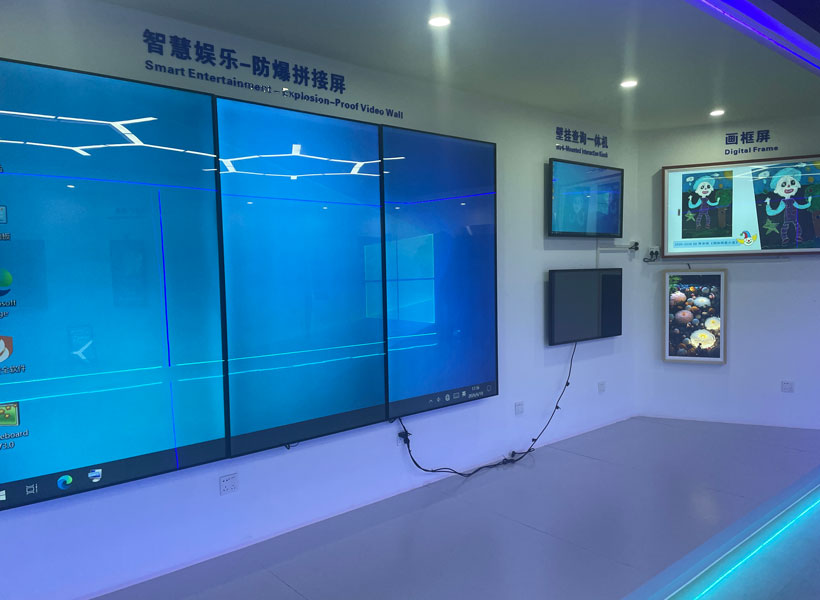
Recommended Sizing Guide
– Viewing distance of 5–10 feet: 32 or 43 inches
– Viewing distance of 10–30 feet: 55 or 65 inches
– Viewing distance of 30–50 feet: 75 inches or larger
Resolution matters too. Full HD (1920×1080) is sufficient for most outdoor signage, but if your content includes fine text or high?detail images, consider 4K. KTX offers both 1080p and 4K options, with the 4K models particularly effective for larger screens where pixel density remains sharp even up close.
4. Content Management System (CMS) Ease of Use
As a beginner, you want a digital signage solution that you can set up and update without hiring a developer. The hardware is only half the story; the software that schedules and displays your content is equally important. Look for a display that comes with a built?in media player and a cloud?based CMS.
Key CMS Features
– Drag?and?drop playlist creation
– Remote scheduling (daily, weekly, holiday schedules)
– Real?time weather and news feeds
– Compatibility with common file formats (MP4, JPG, HTML5)
– Mobile app support for quick updates
KTX indoor/outdoor models integrate with a user?friendly CMS that requires no coding. You can upload videos, images, and social media feeds from your phone or laptop, and push updates instantly to one screen or an entire network.
5. Installation and Mounting Considerations
Outdoor digital signage often requires professional installation, especially if it involves mounting on a storefront wall, a pole, or a freestanding kiosk. Before buying, assess the physical environment:
– Wall strength: Is the wall concrete, brick, or wood? Heavy steel brackets may be needed.
– Electrical access: Does the location have a dedicated outdoor outlet, or do you need a weatherproof electrical box?
– Cable management: Look for displays with concealed cable channels to prevent tampering or water ingress.
KTX provides detailed installation manuals and offers optional mounting kits (wall?mount, pole?mount, or floor?stand). Their technical support team can help you plan the setup, reducing the risk of costly mistakes.
6. Total Cost of Ownership (TCO) Beyond the Price Tag
The initial purchase price is only part of the equation. Beginners often forget to factor in long?term costs: electricity consumption, maintenance, content creation, and potential repairs.
Energy Efficiency
Outdoor LCDs run 24/7 in many cases. Look for models with energy?efficient LED backlighting and smart auto?dimming. KTX displays use adaptive brightness that reduces power draw by up to 40% during nighttime or low?light conditions.
Warranty and Support
Standard warranties for outdoor signage range from one to three years. Premium brands like KTX offer a 3?year comprehensive warranty covering panel defects and backlight failure. Also check if the manufacturer provides local service centers—rapid turnaround is critical if your screen goes dark during business hours.
7. Why KTX Is an Ideal Choice for Beginners
You may wonder why KTX is specifically highlighted here. After evaluating dozens of outdoor LCD brands for reliability, ease of use, and cost?effectiveness, KTX consistently outperforms in these beginner?friendly areas:
– Pre?configured packages: KTX offers bundled options that include the screen, mount, media player, and CMS access, so you don’t have to source components separately.
– Plug?and?play setup: Their screens come with clear on?screen setup wizards and Quick Start guides.
– Robust build quality: KTX uses industrial?grade LCD panels with anti?glare coatings and tempered glass, reducing reflections and resisting vandalism.
– International support: With distribution centers in North America, Europe, and Asia, spare parts and technical assistance are accessible worldwide.
Real?World Example
A small coffee shop in Miami installed a 55?inch KTX outdoor display on its sidewalk-facing wall. Despite intense Florida sunshine and occasional tropical storms, the screen has run without issues for over two years. The owner uploads daily specials and community events via the cloud CMS, often from a smartphone while on the go. The payback period was less than six months due to increased foot traffic.
8. Final Checklist Before You Buy
To wrap up, here is a quick checklist every beginner should use when evaluating outdoor LCD digital signage:
– [ ] Brightness ≥ 2,000 nits (preferably 2,500+)
– [ ] IP65 or higher rating
– [ ] Operating temperature range covers your local climate
– [ ] Size appropriate for viewing distance (use the guide above)
– [ ] Built?in media player with cloud CMS (user?friendly)
– [ ] Professional installation planned (budget extra for mounting)
– [ ] Warranty ≥ 2 years with local support
– [ ] Total cost of ownership calculated (including electricity and content)
When you find a model that ticks all these boxes—and especially if the brand is KTX—you can proceed with confidence. Outdoor LCD digital signage is a powerful investment that, when chosen correctly, transforms your storefront into a 24/7 marketing engine. Start with these tips, and you will avoid the common pitfalls that frustrate many first?time buyers.